Lagerraum
Wissen, wo sich alles befindet.
Flowtig Lagerraum unterstützt Organisationen dabei, physische Bestände strukturiert und durchsuchbar zu organisieren.
Ob Büroausstattung, Werkzeuge, archivierte Dokumente, Ersatzteile oder Lagerbestände – jeder Gegenstand erhält einen definierten Standort und kann innerhalb weniger Sekunden wiedergefunden werden.
Anstatt sich auf Tabellen oder handschriftliche Beschriftungen zu verlassen, bietet Lager ein modernes Inventarsystem, das gemeinsam mit Ihrer Organisation wächst.
Eine einfache Frage
Lagerraum beantwortet eine Frage besser als alles andere:
Wo ist es?
Warum Lagerraum verwenden?
Jede Organisation besitzt physische Gegenstände und Bestände.
Mit der Zeit wird es häufig immer schwieriger, diese wiederzufinden.
Dabei stellen sich typische Fragen wie:
- Wo befindet sich dieser Gegenstand?
- In welchem Regal wird er aufbewahrt?
- Wer hat ihn aktuell?
- Wie viele davon haben wir noch?
- Wann wurde er zuletzt bewegt?
Lagerraum bietet ein zentrales Inventar, mit dem physische Bestände organisiert und einfach auffindbar bleiben.
Übersicht
Mit Lagerraum können Sie:
- Bestände hierarchisch organisieren
- Lagerorte erstellen
- Inventargegenstände verwalten
- Benutzerdefinierte Attribute hinterlegen
- Bestände sofort durchsuchen
- Bewegungen von Gegenständen nachverfolgen
- QR-Codes und Etiketten erstellen
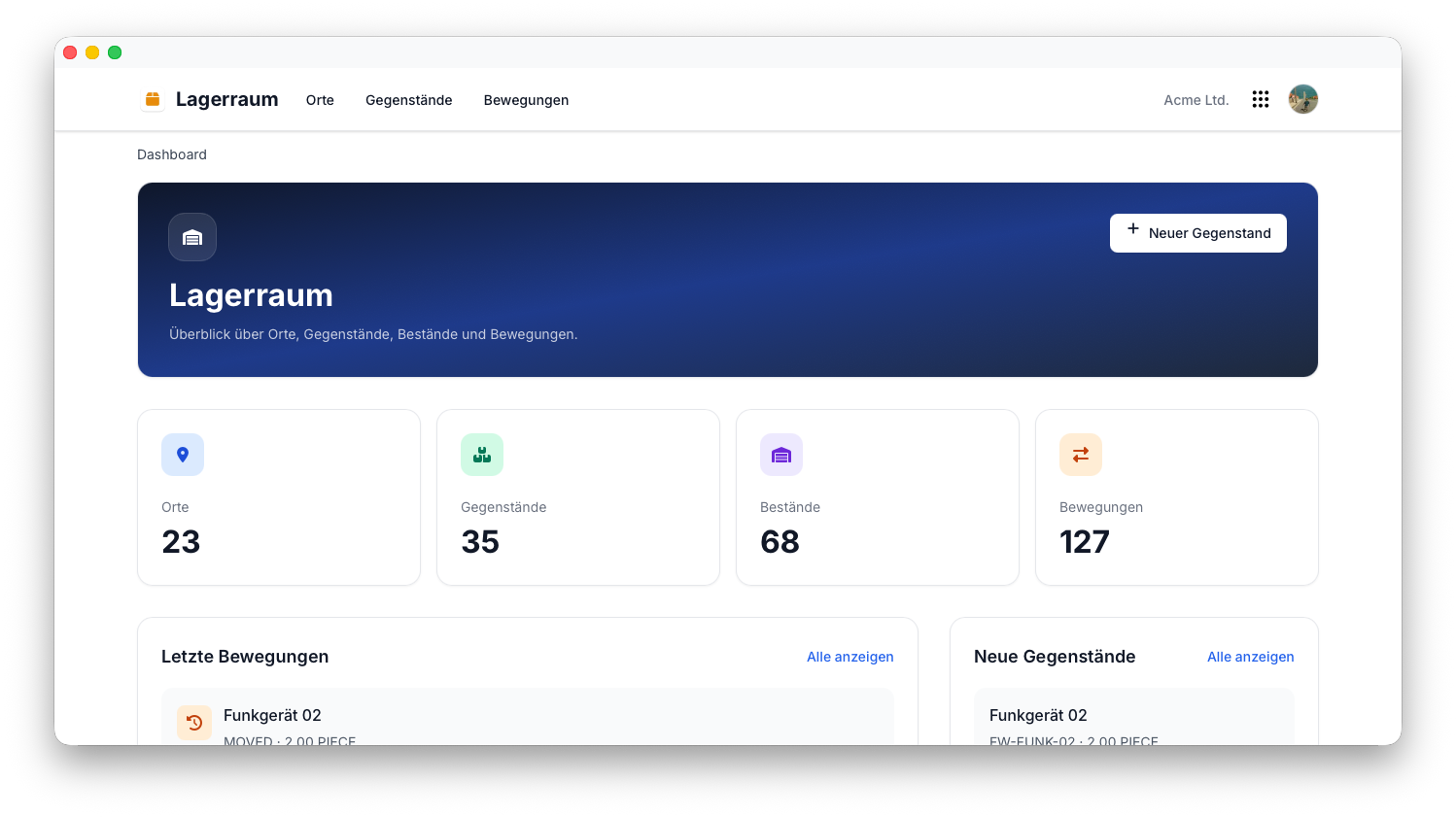
Lagerraumstruktur
Lagerraum basiert auf einem hierarchischen Standortmodell.
Eine typische Struktur könnte beispielsweise so aussehen:
Hauptlager
 ├── Regal A
 │     ├── Kiste 1
 │     ├── Kiste 2
 │
 ├── Regal B
 │     ├── Schublade 1
 │     └── Schublade 2
Auch umfangreiche Bestände bleiben übersichtlich, da jeder Gegenstand einen eindeutig definierten Lagerort besitzt.
Inventargegenstände
Zu jedem Inventargegenstand können detaillierte Informationen hinterlegt werden.
Typische Informationen sind:
- Name
- Beschreibung
- Menge
- Lagerort
- Bilder
- Dokumente
- Benutzerdefinierte Attribute
Gegenstände können bei Bedarf jederzeit um zusätzliche Informationen ergänzt werden.
Benutzerdefinierte Attribute
Jede Organisation verwaltet unterschiedliche Arten von Inventar.
Lagerraum passt sich durch benutzerdefinierte Attribute an, anstatt ausschließlich vorgegebene Felder zu verwenden.
Typische Beispiele sind:
- Seriennummer
- Hersteller
- Kaufdatum
- Garantieende
- Barcode
- Inventarnummer
Tip
Benutzerdefinierte Attribute ermöglichen es, Lager für viele unterschiedliche Branchen und Anwendungsfälle einzusetzen, ohne die Anwendung selbst anpassen zu müssen.
Bestandsbewegungen
Inventar bleibt selten dauerhaft am selben Ort.
Lagerraum ermöglicht es, Bewegungen zu erfassen, wenn Gegenstände an einen anderen Ort verlagert werden.
Typische Beispiele sind:
- Wechsel des Regals
- Umzüge innerhalb des Unternehmens
- Verliehene Geräte
- Umlagerungen
Die Erfassung von Bewegungen erleichtert es nachzuvollziehen, wo sich ein Gegenstand zuvor befunden hat und wo er heute zu finden ist.
Suche
Lagerraum ist darauf ausgelegt, Gegenstände schnell wiederzufinden.
Durchsuchen Sie Ihre Bestände anhand von:
- Name
- Lagerort
- Barcode
- Benutzerdefinierten Attributen
Auch sehr umfangreiche Bestände bleiben dadurch einfach durchsuchbar.
Etiketten & QR-Codes
Lagerraum kann Etiketten sowohl für Lagerorte als auch für Inventargegenstände erstellen.
Typische Anwendungsfälle sind:
- Inventaretiketten
- Regaletiketten
- QR-Codes
- Barcode-Etiketten
Das Scannen von Etiketten macht das Auffinden und Identifizieren von Gegenständen deutlich schneller.
Berechtigungen
Lager verwendet das zentrale Berechtigungssystem von Flowtig.
Typische Berechtigungen umfassen:
| Berechtigung | Beschreibung |
|---|---|
| Inventar anzeigen | Bestände einsehen |
| Gegenstände erstellen | Neue Inventargegenstände hinzufügen |
| Gegenstände bearbeiten | Bestehende Inventargegenstände ändern |
| Gegenstände löschen | Inventargegenstände entfernen |
| Lagerorte verwalten | Lagerorte organisieren |
Berechtigungen können unabhängig voneinander vergeben werden. Dadurch können Organisationen genau steuern, wer das Inventar verwalten darf.
Empfehlungen
Empfehlung
Erstellen Sie zunächst Ihre Lagerstruktur, bevor Sie Inventargegenstände hinzufügen.
Tip
Verwenden Sie einheitliche Bezeichnungen für Lager, Regale und andere Lagerorte.
Tip
Beschriften Sie Regale und Kisten mit QR-Codes, um die Navigation und das Auffinden von Gegenständen zu vereinfachen.
Note
Fotos erleichtern es erheblich, Inventargegenstände später eindeutig wiederzuerkennen.
Integrationen
Lagerraum lässt sich nahtlos mit anderen Flowtig-Anwendungen kombinieren.
| Anwendung | Integration |
|---|---|
| Kontakte | Eigentümer, Lieferanten und Hersteller |
| Transfer | Handbücher und Dokumentationen teilen |
| Rechnungsarchiv | Einkaufsrechnungen |
| Bautagebuch | Auf Baustellen eingesetzte Geräte und Materialien |
Mit der weiteren Entwicklung der Plattform werden zusätzliche Integrationen verfügbar.
Häufig gestellte Fragen
Kann Lagerraum mehrere Lagerorte verwalten?
Ja.
Lagerorte können hierarchisch als Lager, Regale, Kisten und andere Aufbewahrungsorte organisiert werden.
Können eigene Informationen gespeichert werden?
Ja.
Mithilfe benutzerdefinierter Attribute lässt sich Lager an unterschiedliche Branchen und Inventararten anpassen.
Können Etiketten und QR-Codes erstellt werden?
Ja.
Lager erstellt Etiketten, die die Identifikation, Inventur und das Scannen von Gegenständen vereinfachen.
Können Bestandsbewegungen nachverfolgt werden?
Ja.
Lager erfasst Bewegungen von Gegenständen und hilft Organisationen dadurch nachzuvollziehen, wo sich Inventar aktuell befindet.
Eignet sich Lager auch für kleine Unternehmen?
Ja.
Lager eignet sich sowohl für wenige Lagerorte als auch für Tausende von Inventargegenständen.
Typischer Ablauf
Lagerstruktur erstellen
           │
           ▼
Inventar hinzufügen
           │
           ▼
Etiketten drucken
           │
           ▼
Gegenstände bewegen & organisieren
           │
           ▼
Alles sofort wiederfinden
Siehe auch
Lager funktioniert besonders gut zusammen mit:
Benötigen Sie Hilfe?
Benötigen Sie Unterstützung bei Lagerraum?
Weitere Informationen finden Sie auf der Flowtig-Website oder über unseren Support:
- https://flowtig.com/apps/warehouse
- https://flowtig.com/contact