Kontakte
Ein zentraler Ort für alle Geschäftsbeziehungen.
Flowtig Kontakte bietet ein zentrales Verzeichnis für alle Personen und Organisationen innerhalb der Flowtig-Plattform.
Kunden, Lieferanten, Mitarbeiter, Auftragnehmer und Geschäftspartner werden einmal zentral verwaltet und stehen anschließend in allen Flowtig-Anwendungen zur Verfügung. Anstatt Kontaktdaten an mehreren Stellen doppelt zu pflegen, arbeiten alle Anwendungen mit denselben aktuellen Informationen.
Die Grundlage Ihrer Organisation
Kontakte dient als zentrale Datenquelle für Personen und Organisationen innerhalb von Flowtig. Sobald ein Kontakt erstellt wurde, kann er unmittelbar von anderen Anwendungen der Plattform verwendet werden.
Warum Kontakte verwenden?
Geschäftliche Informationen verteilen sich schnell auf unterschiedliche Systeme.
Dabei entstehen häufig Fragen wie:
- Welche Telefonnummer ist aktuell?
- Welche Adresse soll auf der Rechnung erscheinen?
- Wer ist für dieses Projekt verantwortlich?
- Welcher Lieferant hat diese Materialien geliefert?
- Welcher Mitarbeiter hat an dieser Aufgabe gearbeitet?
Kontakte beantwortet diese Fragen mit einer gemeinsamen Kontaktdatenbank für die gesamte Organisation.
Übersicht
Mit Kontakte können Sie:
- Unternehmen und Personen verwalten
- Adressen und Kontaktdaten speichern
- Kontakte mithilfe von Kategorien organisieren
- Mehrere Kommunikationswege hinterlegen
- Notizen und zusätzliche Informationen erfassen
- Kontakte schnell durchsuchen
- Kontakte in allen Flowtig-Anwendungen gemeinsam verwenden
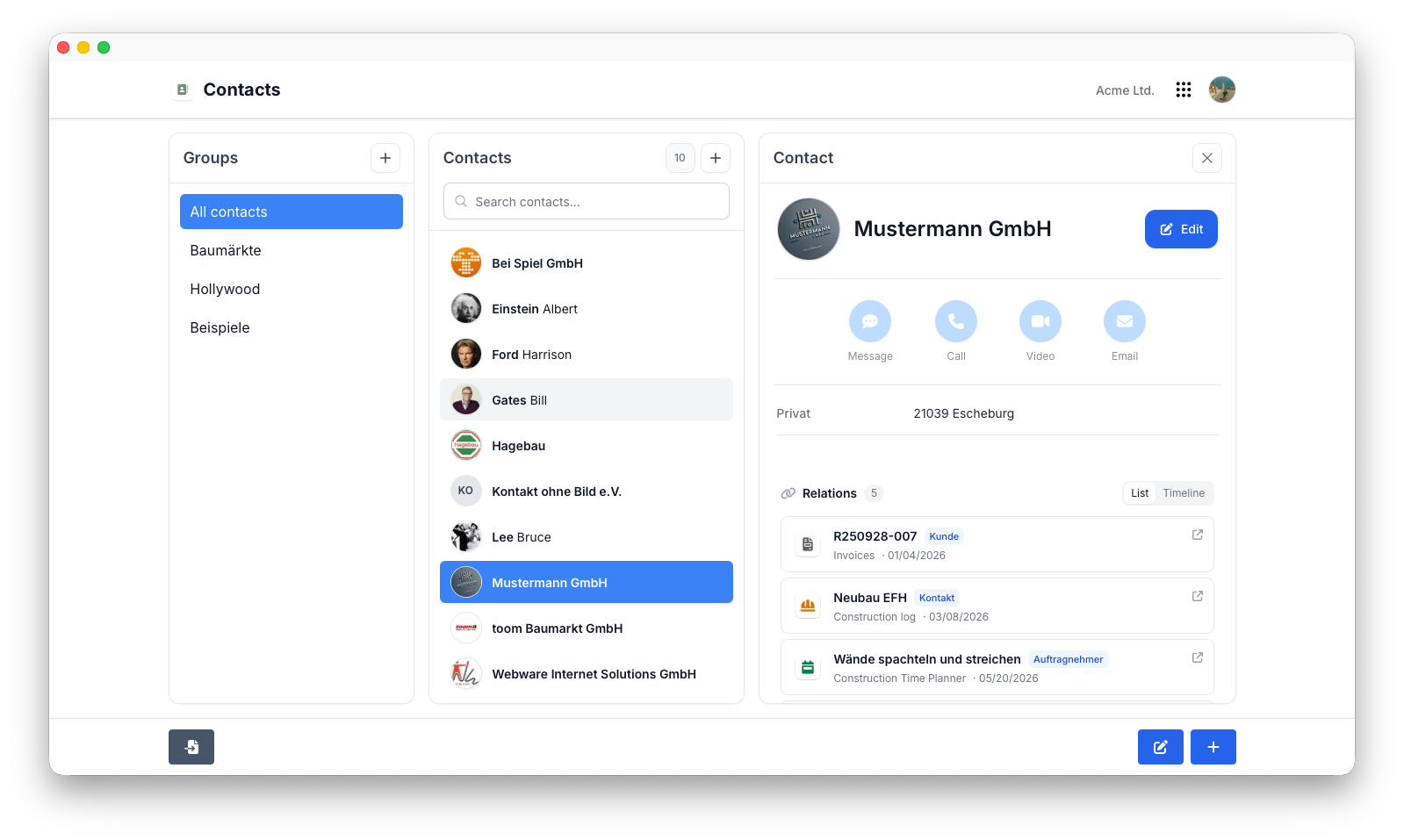
Unternehmen und Personen
Flowtig unterstützt sowohl Organisationen als auch einzelne Personen als Kontakte.
Typische Beispiele sind:
| Kontakttyp | Beispiel |
|---|---|
| Unternehmen | ACME GmbH |
| Kunde | Max Mustermann |
| Lieferant | Bürobedarf GmbH |
| Mitarbeiter | Sarah Schmidt |
| Auftragnehmer | ABC Bau GmbH |
| Partner | Beispiel Consulting |
Die zentrale Verwaltung aller Geschäftsbeziehungen sorgt für konsistente Informationen innerhalb der gesamten Plattform.
Kontaktinformationen
Für jeden Kontakt können alle wichtigen Kommunikationsdaten gespeichert werden.
Typische Informationen sind:
- E-Mail-Adressen
- Telefonnummern
- Mobilfunknummern
- Websites
- Notizen
Die Informationen können jederzeit erweitert werden, sobald neue Details verfügbar sind.
Tip
Beginnen Sie mit den Informationen, die Ihnen aktuell vorliegen. Kontaktdaten können jederzeit später ergänzt werden.
Adressen
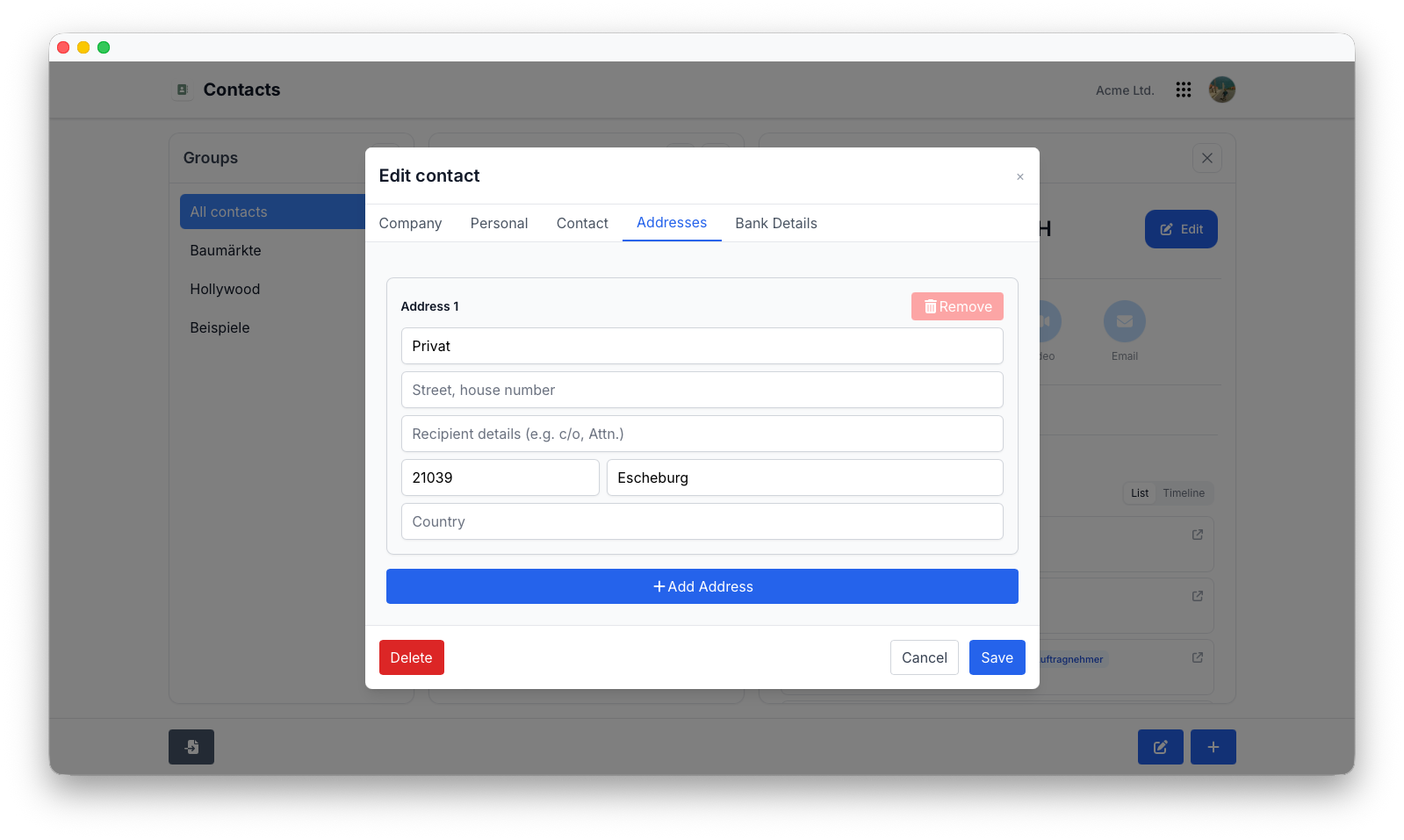
Jeder Kontakt kann eine oder mehrere Adressen enthalten.
Typische Adresstypen sind:
- Geschäftsadresse
- Rechnungsadresse
- Lieferadresse
- Privatadresse
Adressen stehen anderen Flowtig-Anwendungen automatisch zur Verfügung, sobald sie benötigt werden.
Kategorien
Kategorien erleichtern die Organisation umfangreicher Kontaktdatenbanken.
Typische Beispiele sind:
- Kunden
- Lieferanten
- Mitarbeiter
- Auftragnehmer
- Partner
- Interessenten
Kategorien vereinfachen die Suche, Filterung und Auswertung von Kontakten.
Suche
Kontakte lassen sich schnell und unkompliziert finden.
Typische Suchkriterien sind:
- Name
- Unternehmen
- E-Mail-Adresse
- Telefonnummer
- Adresse
- Kategorie
Tip
Vollständig gepflegte Kontaktdaten machen die Suche mit zunehmender Größe Ihrer Organisation deutlich effektiver.
Gemeinsam in Flowtig verwendet
Einer der größten Vorteile von Kontakte besteht darin, dass Informationen nur einmal erfasst werden müssen.
Andere Flowtig-Anwendungen verwenden dieselben Kontaktdaten automatisch weiter, sobald sie benötigt werden.
| Anwendung | Verwendung |
|---|---|
| Rechnungen | Kunden und Rechnungsempfänger |
| Arbeitszeit | Mitarbeiter |
| Kalender | Teilnehmer von Ereignissen |
| Transfer | Empfänger von Dateien |
| Provisionen | Provisionspartner und Beteiligte |
| Bautagebuch | Auftragnehmer und Nachunternehmer |
| Bauzeitenplaner | Projektbeteiligte |
| Immobilien | Eigentümer und Ansprechpartner |
Keine doppelten Daten.
Keine Synchronisation.
Eine gemeinsame, zentrale Datenquelle.
Berechtigungen
Kontakte verwendet das zentrale Berechtigungssystem von Flowtig.
Typische Berechtigungen umfassen:
| Berechtigung | Beschreibung |
|---|---|
| Kontakte anzeigen | Bestehende Kontakte einsehen |
| Kontakte erstellen | Neue Kontakte hinzufügen |
| Kontakte bearbeiten | Kontaktinformationen ändern |
| Kontakte löschen | Kontakte entfernen |
| Kategorien verwalten | Kontaktgruppen organisieren |
Berechtigungen können unabhängig voneinander vergeben werden. Dadurch können Organisationen genau steuern, wer Kontaktdaten verwalten darf.
Empfehlungen
Empfehlung
Erstellen Sie Kontakte, bevor Sie andere Flowtig-Anwendungen verwenden. Dadurch können Rechnungen, Projekte und Baudokumentationen unmittelbar auf bereits vorhandene Kontaktdaten zugreifen.
Tip
Überprüfen Sie Kontaktdaten regelmäßig, damit Adressen und Kommunikationsinformationen aktuell bleiben.
Note
Eine zentrale Kontaktdatenbank verbessert die Datenqualität innerhalb der gesamten Plattform.
Häufig gestellte Fragen
Kann ich sowohl Unternehmen als auch Privatpersonen verwalten?
Ja.
Flowtig unterstützt sowohl Organisationen als auch einzelne Personen.
Können Kontakte in verschiedenen Anwendungen wiederverwendet werden?
Ja.
Einmal erstellte Kontakte können innerhalb der gesamten Flowtig-Plattform verwendet werden.
Können mehrere Adressen gespeichert werden?
Ja.
Jeder Kontakt kann mehrere Adressen für unterschiedliche Zwecke enthalten.
Können Kontakte in Kategorien organisiert werden?
Ja.
Kategorien erleichtern die Organisation, Filterung und Suche auch bei einer großen Anzahl von Kontakten.
Kann ich vorhandene Kontakte schnell finden?
Ja.
Flowtig ermöglicht eine schnelle Suche über Namen, Unternehmen, Kommunikationsdaten und Adressen.
Siehe auch
Kontakte funktioniert besonders gut zusammen mit:
Benötigen Sie Hilfe?
Benötigen Sie Unterstützung bei Kontakte?
Weitere Informationen finden Sie auf der Flowtig-Website oder über unseren Support:
- https://flowtig.com/apps/contacts
- https://flowtig.com/contact