Kalender
Die Zeitleiste Ihrer Organisation in Flowtig.
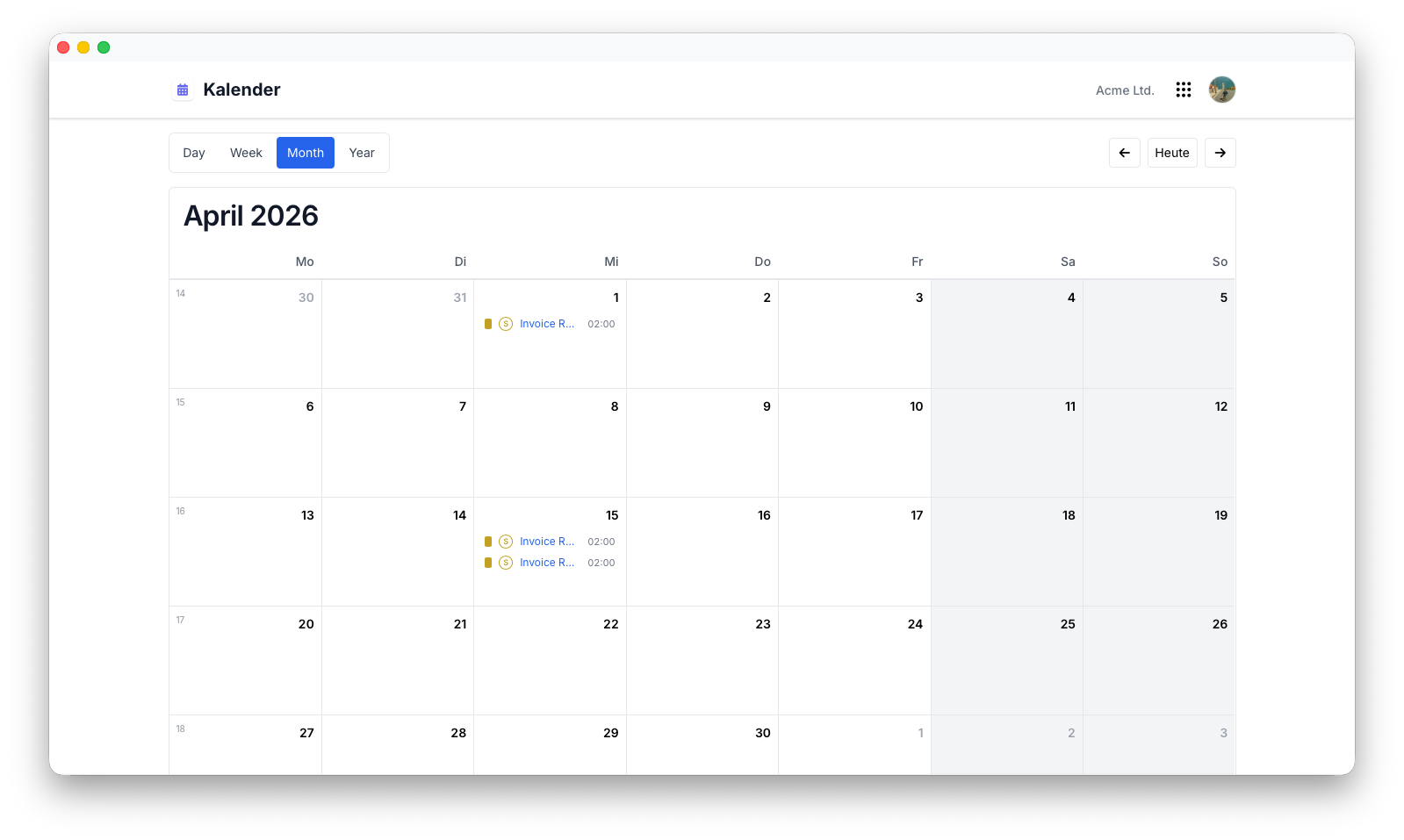
Flowtig Kalender bietet einen zentralen Ort, an dem wichtige Ereignisse aus verschiedenen Flowtig-Anwendungen gemeinsam angezeigt werden.
Anstatt mehrere Anwendungen öffnen zu müssen, um Fristen oder anstehende Ereignisse zu prüfen, stellt der Kalender diese in einer einfachen, chronologischen Übersicht dar.
Info
Der Kalender konzentriert sich auf die Darstellung von Ereignissen, die innerhalb der Flowtig-Plattform entstehen. Mit neuen Flowtig-Anwendungen werden automatisch weitere Ereignisquellen verfügbar.
Warum Kalender verwenden?
Geschäftliche Informationen sind häufig auf mehrere Anwendungen verteilt.
Der Kalender führt relevante Ereignisse in einer gemeinsamen Zeitleiste zusammen. So behalten Sie den Überblick, ohne ständig zwischen verschiedenen Bereichen der Plattform wechseln zu müssen.
Übersicht
Mit dem Kalender können Sie:
- Ereignisse aus unterstützten Flowtig-Anwendungen anzeigen
- Anstehende geschäftliche Ereignisse überblicken
- Zugehörige Objekte direkt öffnen
- Wichtige Termine auf der gesamten Plattform im Blick behalten
Ereignisquellen
Abhängig von den in Ihrer Organisation installierten Anwendungen kann der Kalender beispielsweise folgende Ereignisse anzeigen:
- Gesetzliche Feiertage
- Fälligkeitstermine von Rechnungen
- Projektmeilensteine
- Systemereignisse
Mit neuen Flowtig-Anwendungen werden automatisch weitere Ereignistypen verfügbar.
Empfehlungen
Tip
Der Kalender eignet sich am besten als zentrale Übersicht wichtiger geschäftlicher Ereignisse und weniger als klassischer persönlicher Kalender.
Integrationen
Der Kalender wurde entwickelt, um Ereignisse aus anderen Flowtig-Anwendungen zusammenzuführen.
Anstatt ein eigenes Ereignismodell zu pflegen, bietet der Kalender eine einheitliche Ansicht wichtiger Informationen, die innerhalb der Plattform entstehen.
Aktuelle und zukünftige Integrationen umfassen:
Häufig gestellte Fragen
Kann ich Termine erstellen?
Abhängig von den installierten Flowtig-Anwendungen können Ereignisse entweder direkt erstellt werden oder aus einer anderen Anwendung stammen.
Warum werden nur wenige Ereignisse angezeigt?
Der Kalender zeigt nur Ereignisse an, die von installierten Anwendungen bereitgestellt werden. Je mehr Flowtig-Anwendungen Ihre Organisation verwendet, desto umfangreicher wird automatisch auch die Kalenderübersicht.
Ersetzt der Kalender meinen persönlichen Kalender?
Nein.
Der Kalender ist als geschäftliche Übersicht konzipiert, die Ereignisse aus Flowtig-Anwendungen zusammenführt. Er ist nicht als Ersatz für einen persönlichen Kalender gedacht.
Siehe auch
Der Kalender funktioniert besonders gut zusammen mit: