Bautagebuch
Erstellen Sie eine vollständige Historie Ihrer Bauprojekte.
Flowtig Bautagebuch unterstützt Bauunternehmen, Architekten und Bauleiter dabei, tägliche Aktivitäten, Projektfortschritte und wichtige Ereignisse während des gesamten Bauprozesses zu dokumentieren.
Anstatt handschriftliche Notizen oder verstreute Dokumente zu verwenden, erstellt das Bautagebuch eine strukturierte digitale Historie aller Ereignisse auf der Baustelle. Dadurch bleibt die Projektdokumentation transparent, durchsuchbar und jederzeit nachvollziehbar.
Das tägliche Protokoll Ihres Projekts
Das Bautagebuch erstellt eine chronologische Historie Ihres Bauprojekts und hilft dabei nachzuvollziehen, was passiert ist, wann es passiert ist und warum.
Warum Bautagebuch verwenden?
Auf Baustellen entstehen jeden Tag wertvolle Informationen.
Dabei stellen sich häufig Fragen wie:
- Was ist gestern auf der Baustelle passiert?
- Wann wurden diese Arbeiten abgeschlossen?
- Welche Nachunternehmer waren vor Ort?
- War das Wetter für die Verzögerung verantwortlich?
- Wann wurde ein Problem erstmals dokumentiert?
Das Bautagebuch liefert zuverlässige Antworten, indem es vom ersten Tag auf der Baustelle bis zum Projektabschluss eine vollständige Projekthistorie erstellt.
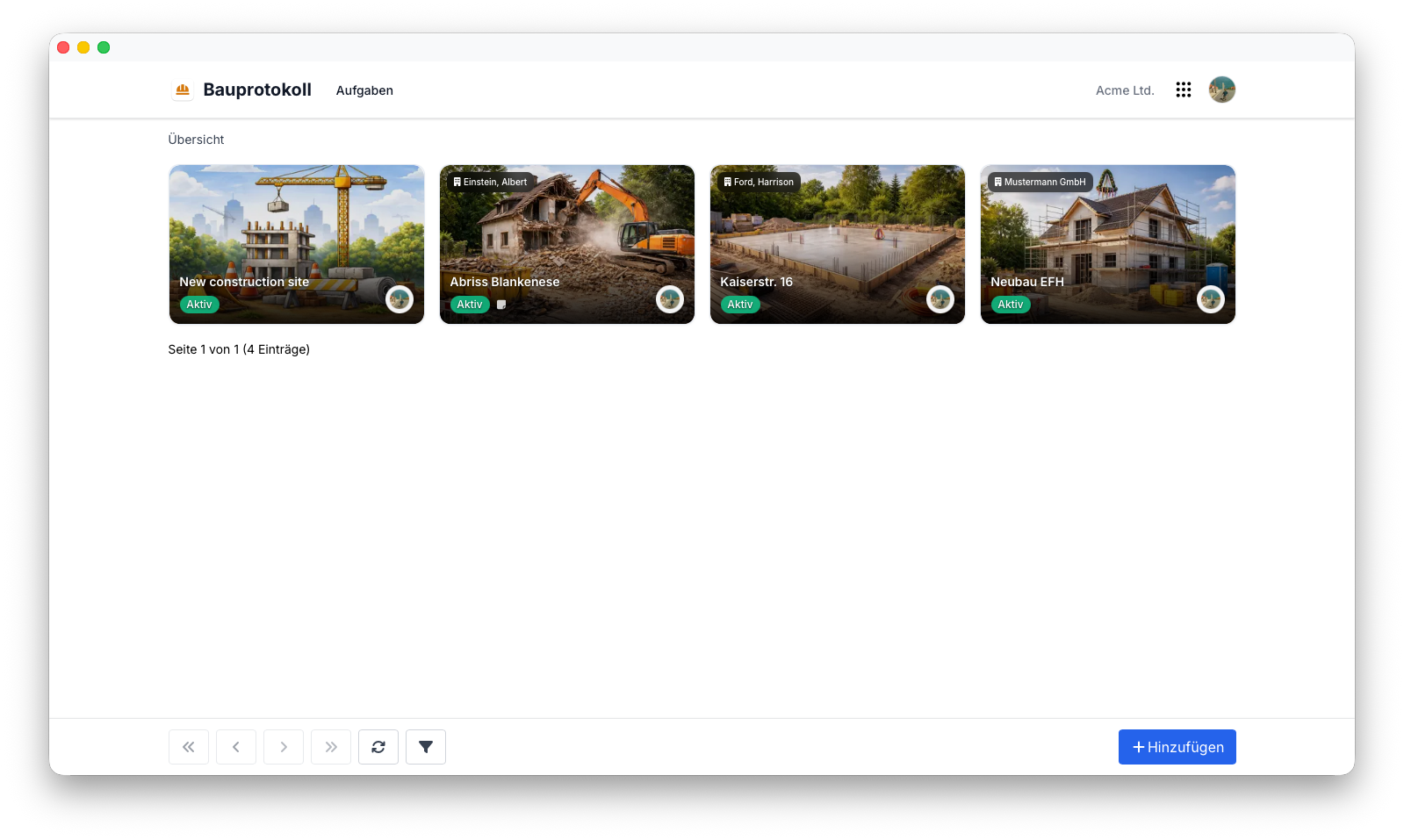
Übersicht
Mit dem Bautagebuch können Sie:
- Tägliche Bauberichte erfassen
- Projektfortschritte dokumentieren
- Wetterbedingungen erfassen
- Mitarbeiter und Nachunternehmer dokumentieren
- Baustellenfotos speichern
- Ergänzende Dokumente anhängen
- Eine vollständige chronologische Projekthistorie aufbauen
Tagesberichte
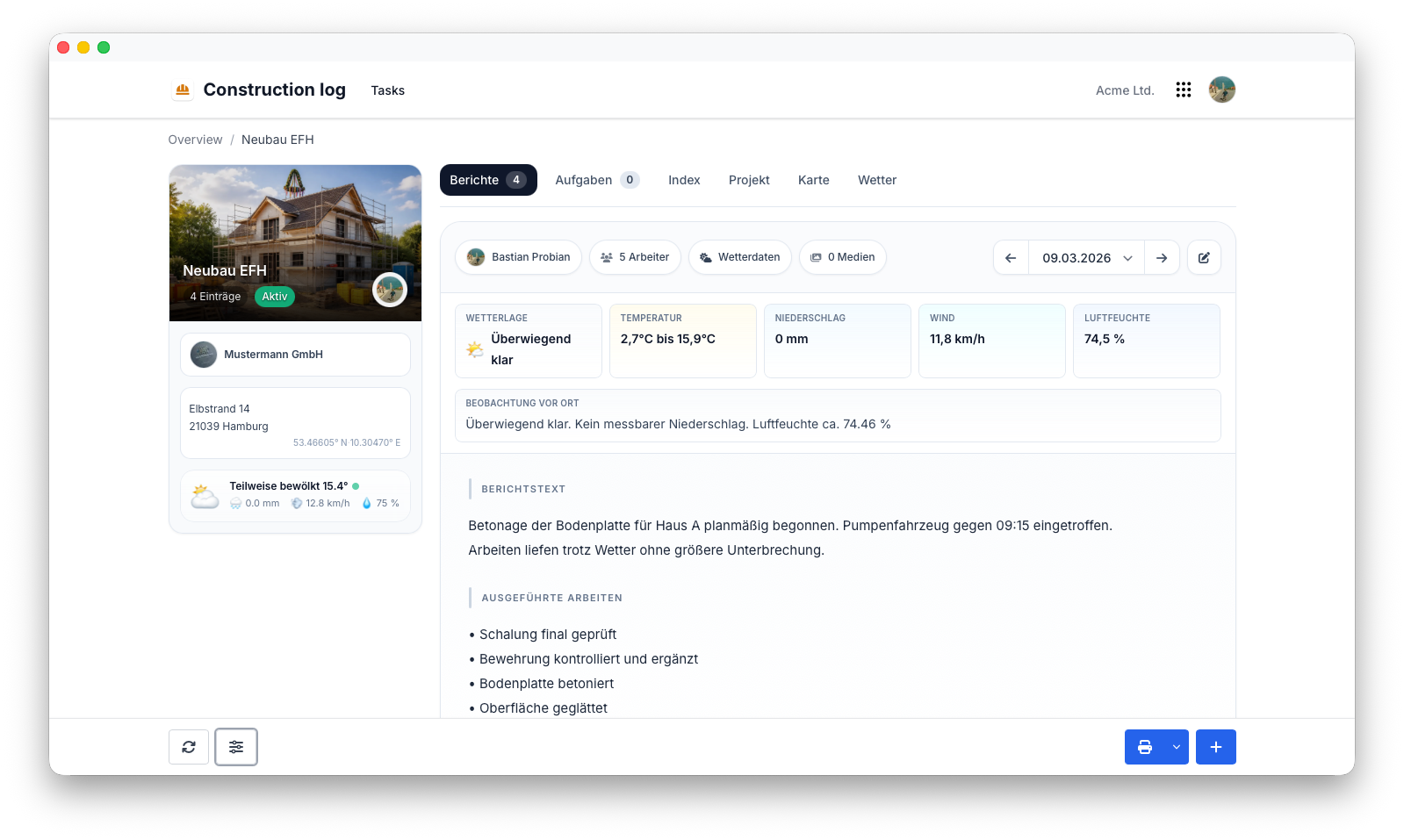
Jeder Bautag kann mit einem eigenen Tagesbericht dokumentiert werden.
Typische Informationen sind:
- Datum
- Baustelle
- Allgemeine Notizen
- Fortschritt
- Verzögerungen
- Besondere Vorkommnisse
Tagesberichte werden Teil der dauerhaften Dokumentation des Bauprojekts.
Wetterbedingungen
Das Wetter hat häufig erheblichen Einfluss auf Bauprojekte.
Das Bautagebuch ermöglicht es, die Wetterbedingungen gemeinsam mit jedem Tagesbericht zu dokumentieren.
Typische Informationen sind:
- Temperatur
- Wetterlage
- Wind
- Regen
- Schnee
Tip
Die Dokumentation der Wetterbedingungen hilft dabei, Projektverzögerungen nachvollziehbar zu erklären und schafft wertvolle historische Nachweise für eine spätere Auswertung.
Personal
Tagesberichte können Informationen über alle Personen enthalten, die auf der Baustelle tätig oder anwesend waren.
Typische Beispiele sind:
- Mitarbeiter
- Auftragnehmer
- Nachunternehmer
- Besucher
Dadurch entsteht eine vollständige Übersicht darüber, wer an einem bestimmten Tag vor Ort war, und die Transparenz des Projekts wird verbessert.
Fortschrittsdokumentation
Der Baufortschritt kann während des gesamten Projekts kontinuierlich dokumentiert werden.
Typische Beispiele sind:
- Abgeschlossene Arbeiten
- Laufende Tätigkeiten
- Verzögerungen
- Mängel
- Prüfungen
Eine regelmäßige Fortschrittsdokumentation schafft eine zuverlässige Historie, die auch lange nach Abschluss des Projekts verfügbar bleibt.
Fotos & Anhänge
Bei Bauprojekten reichen schriftliche Notizen häufig nicht aus.
Das Bautagebuch ermöglicht es, jedem Tagesbericht ergänzende Materialien hinzuzufügen, beispielsweise:
- Baustellenfotos
- Pläne
- Berichte
- Weitere Dokumente
Visuelle Dokumentationen helfen dabei, den Baufortschritt nachvollziehbar darzustellen und liefern zusätzlichen Kontext.
Projekthistorie
Jeder Tagesbericht wird Teil der dauerhaften Historie des Projekts.
Anstatt Ordner, E-Mails oder handschriftliche Notizen durchsuchen zu müssen, bleiben frühere Berichte chronologisch geordnet verfügbar.
Mit der historischen Dokumentation lassen sich Fragen beantworten wie:
- Wann wurde diese Tätigkeit durchgeführt?
- Wann wurde ein Problem erstmals festgestellt?
- Welche Nachunternehmer waren beteiligt?
- Wie waren die Wetterbedingungen an diesem Tag?
Vollständige Dokumentation
Das Bautagebuch erstellt eine zuverlässige digitale Historie jedes Bauprojekts.
Suche
Historische Informationen lassen sich schnell und unkompliziert finden.
Typische Suchkriterien sind:
- Datum
- Baustelle
- Mitarbeiter
- Auftragnehmer
- Suchbegriffe
Dadurch können Informationen auch Jahre nach Abschluss eines Projekts einfach wiedergefunden werden.
Berechtigungen
Das Bautagebuch verwendet das zentrale Berechtigungssystem von Flowtig.
Typische Berechtigungen umfassen:
| Berechtigung | Beschreibung |
|---|---|
| Berichte anzeigen | Tagesberichte einsehen |
| Berichte erstellen | Neue Tagesberichte erstellen |
| Berichte bearbeiten | Bestehende Tagesberichte ändern |
| Berichte löschen | Tagesberichte entfernen |
| Anhänge hochladen | Fotos und Dokumente hinzufügen |
Berechtigungen können unabhängig voneinander vergeben werden. Dadurch erhält jedes Teammitglied genau auf die Informationen Zugriff, die es benötigt.
Empfehlungen
Empfehlung
Füllen Sie den Tagesbericht nach Möglichkeit noch vor dem Verlassen der Baustelle aus.
Tip
Fügen Sie regelmäßig Fotos hinzu, um wichtige Meilensteine, abgeschlossene Arbeiten und unerwartete Probleme zu dokumentieren.
Note
Eine konsequente tägliche Dokumentation schafft ein wertvolles Projektarchiv, auf das auch Jahre später noch zurückgegriffen werden kann.
Integrationen
Das Bautagebuch lässt sich nahtlos mit anderen Flowtig-Anwendungen kombinieren.
| Anwendung | Integration |
|---|---|
| Bauzeitenplaner | Geplante Tätigkeiten mit dem tatsächlichen Fortschritt vergleichen |
| Kontakte | Auftragnehmer, Nachunternehmer und Projektpartner |
| Kalender | Prüfungen, Meilensteine und Projektereignisse |
Mit dem weiteren Ausbau der Flowtig-Plattform werden zusätzliche Integrationen verfügbar.
Häufig gestellte Fragen
Kann ich für jeden Tag einen Bericht erstellen?
Ja.
Das Bautagebuch basiert auf täglichen Bauberichten und ermöglicht es, jeden Bautag einzeln zu dokumentieren.
Können Fotos angehängt werden?
Ja.
Berichte können Fotos und ergänzende Dokumente enthalten, um zusätzlichen Kontext bereitzustellen.
Können Wetterbedingungen erfasst werden?
Ja.
Wetterinformationen können gemeinsam mit jedem Tagesbericht dokumentiert werden.
Können frühere Berichte durchsucht werden?
Ja.
Alle Berichte bleiben durchsuchbar und chronologisch organisiert, sodass historische Informationen einfach wiedergefunden werden können.
Typischer Ablauf
Bautag
        │
        ▼
Tagesbericht erstellen
        │
        ▼
Notizen & Fotos hinzufügen
        │
        ▼
Fortschritt dokumentieren
        │
        ▼
Projekthistorie aufbauen
Siehe auch
Das Bautagebuch funktioniert besonders gut zusammen mit:
Benötigen Sie Hilfe?
Benötigen Sie Unterstützung beim Bautagebuch?
Weitere Informationen finden Sie auf der Flowtig-Website oder über unseren Support:
- https://flowtig.com/apps/construction-log
- https://flowtig.com/contact