Rechnungsarchiv
Elektronische Rechnungen zentral speichern, validieren und jederzeit abrufen.
Flowtig Rechnungsarchiv unterstützt Organisationen dabei, eingehende Rechnungen strukturiert, durchsuchbar und standardkonform zu verwalten.
Ob Sie Rechnungen als PDF, XRechnung oder UBL-Dokument erhalten – jede Rechnung wird gemeinsam mit den extrahierten Metadaten archiviert. Dadurch können Rechnungen auch lange nach ihrem Eingang einfach gefunden, geprüft und validiert werden.
Anstatt E-Mail-Ordner oder gemeinsame Laufwerke durchsuchen zu müssen, bietet das Rechnungsarchiv einen zentralen Ort für Ihre Eingangsrechnungen.
Für elektronische Rechnungen entwickelt
Das Rechnungsarchiv verarbeitet unterstützte Rechnungsformate automatisch, validiert strukturierte Rechnungen und extrahiert verfügbare Metadaten.
Warum Rechnungsarchiv verwenden?
Organisationen erhalten Rechnungen häufig über viele verschiedene Wege.
Dabei stellen sich typische Fragen wie:
- Wo befindet sich diese Rechnung?
- Haben wir diese Rechnung bereits erhalten?
- Welcher Lieferant hat diese Rechnung gesendet?
- Ist diese XRechnung gültig?
- Kann ich diese elektronische Rechnung ohne spezielle Software lesen?
Das Rechnungsarchiv beantwortet diese Fragen mit einem zentralen, durchsuchbaren Archiv für alle eingehenden Rechnungen.
Übersicht
Mit dem Rechnungsarchiv können Sie:
- PDF-Rechnungen archivieren
- XRechnungen archivieren
- UBL-Rechnungen archivieren
- Strukturierte Rechnungen validieren
- Rechnungsmetadaten extrahieren
- Archivierte Rechnungen durchsuchen
- Elektronische Rechnungen direkt im Browser anzeigen
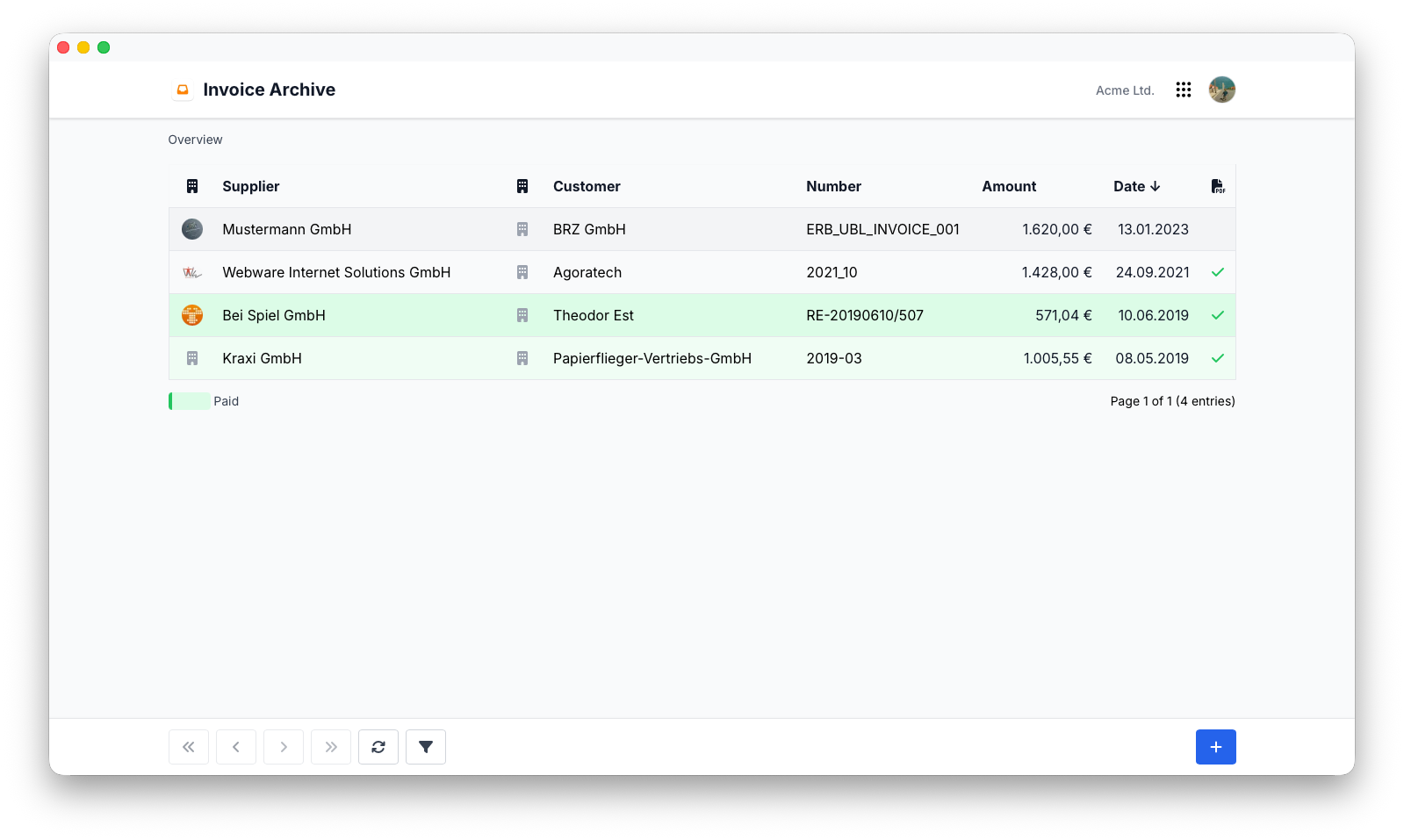
Rechnungen importieren
Rechnungen können in das Archiv importiert und automatisch verarbeitet werden.
Unterstützte Formate sind:
- XRechnung
- UBL
Beim Import analysiert Flowtig jedes Dokument und extrahiert verfügbare Informationen für die spätere Suche und Auswertung.
Rechnungsvalidierung
Strukturierte elektronische Rechnungen können bereits beim Import validiert werden.
Die Validierung hilft dabei, fehlerhafte oder unvollständige Rechnungsdokumente zu erkennen, bevor sie in den weiteren Buchhaltungsprozess gelangen.
Standardkonforme Verarbeitung
Die automatische Validierung hilft dabei sicherzustellen, dass elektronische Rechnungen den unterstützten Rechnungsstandards entsprechen.
Metadatenextraktion
Das Rechnungsarchiv extrahiert wichtige Informationen direkt aus unterstützten Rechnungsformaten.
Typische Metadaten sind:
- Rechnungsnummer
- Lieferant
- Kunde
- Rechnungsdatum
- Fälligkeitsdatum
- Gesamtbetrag
- Währung
Extrahierte Metadaten erleichtern die Suche und Organisation von Rechnungen erheblich.
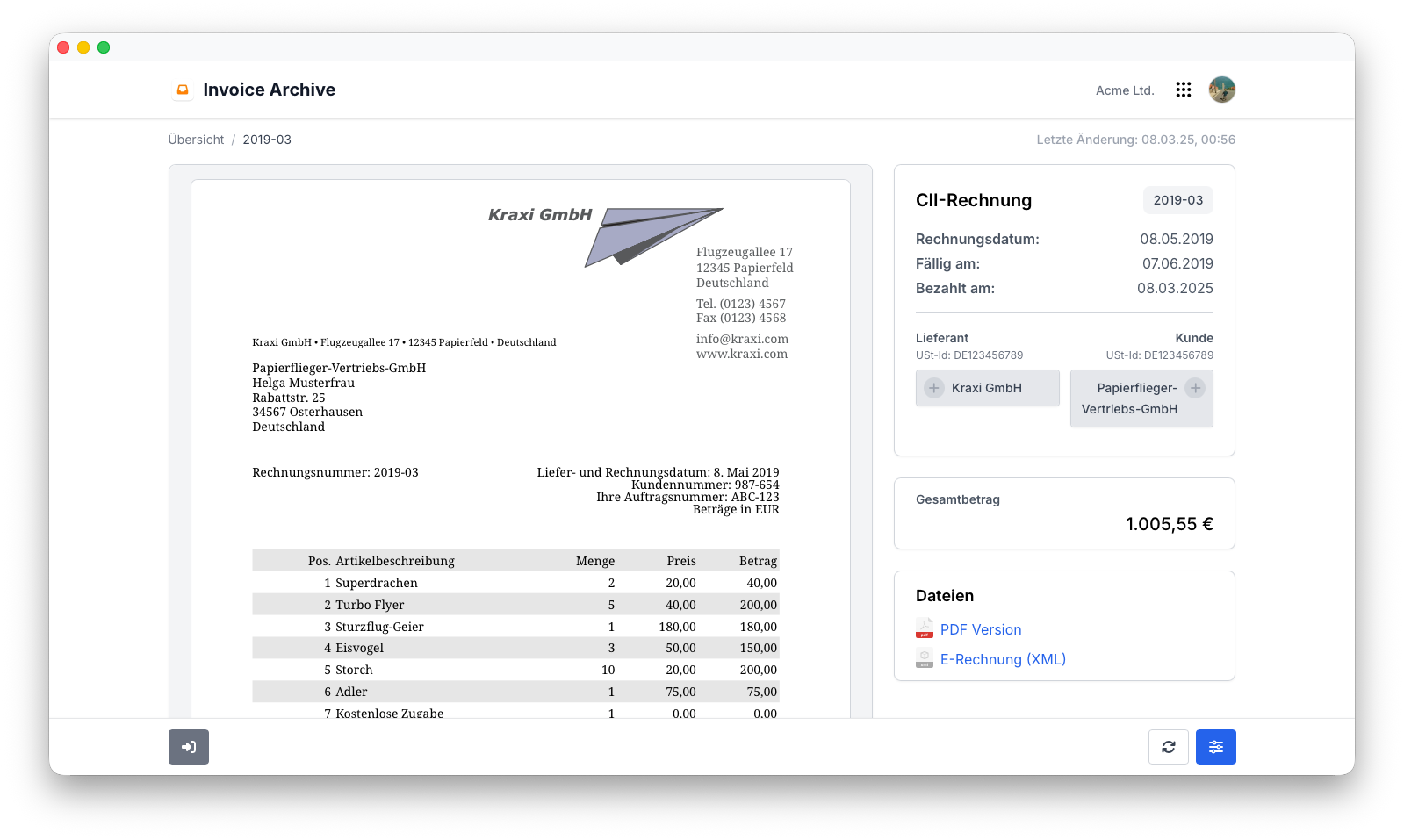
Rechnungsvorschau
Formate wie XRechnung und UBL wurden in erster Linie für die maschinelle Verarbeitung und nicht für die direkte Anzeige durch Menschen entwickelt.
Das Rechnungsarchiv erzeugt automatisch eine übersichtliche HTML-Vorschau. Dadurch können Rechnungen direkt im Browser geprüft werden, ohne zusätzliche Software zu benötigen.
Suche
Archivierte Rechnungen bleiben vollständig durchsuchbar.
Typische Suchkriterien sind:
- Rechnungsnummer
- Lieferant
- Kunde
- Rechnungsdatum
- Fälligkeitsdatum
- Betrag
Auch Jahre nach ihrem Eingang lassen sich historische Rechnungen einfach wiederfinden.
Langzeitarchiv
Das Rechnungsarchiv bewahrt sowohl das ursprüngliche Rechnungsdokument als auch die daraus extrahierten Metadaten auf.
Dadurch erhalten Organisationen ein zuverlässiges Archiv, das für die Buchhaltung, Prüfungen und spätere Recherchen genutzt werden kann.
Tip
Die gemeinsame Aufbewahrung der Originalrechnung und der extrahierten Metadaten sorgt für maximale Nachvollziehbarkeit und erleichtert spätere Suchen.
Berechtigungen
Das Rechnungsarchiv verwendet das zentrale Berechtigungssystem von Flowtig.
Typische Berechtigungen umfassen:
| Berechtigung | Beschreibung |
|---|---|
| Rechnungen anzeigen | Archivierte Rechnungen einsehen |
| Rechnungen importieren | Neue Rechnungen hinzufügen |
| Rechnungen löschen | Archivierte Rechnungen entfernen |
| Metadaten anzeigen | Auf extrahierte Rechnungsinformationen zugreifen |
Berechtigungen können unabhängig voneinander vergeben werden. Dadurch behalten Organisationen die vollständige Kontrolle darüber, wer auf Rechnungen zugreifen darf.
Empfehlungen
Empfehlung
Importieren Sie Rechnungen möglichst direkt nach ihrem Eingang, um ein vollständiges und durchsuchbares Archiv zu erhalten.
Tip
Bewahren Sie die ursprüngliche elektronische Rechnung immer gemeinsam mit den extrahierten Metadaten auf.
Note
Validieren Sie strukturierte Rechnungen, bevor Sie diese innerhalb Ihrer Buchhaltungsprozesse weiterverarbeiten.
Integrationen
Das Rechnungsarchiv lässt sich nahtlos mit anderen Flowtig-Anwendungen kombinieren.
| Anwendung | Integration |
|---|---|
| Rechnungen | Eingehende und ausgehende Rechnungen gegenüberstellen |
| Kontakte | Lieferanten und Kunden |
| Transfer | Sicherer Austausch von Rechnungen |
Mit der Einführung weiterer Buchhaltungsfunktionen werden zusätzliche Integrationen verfügbar.
Häufig gestellte Fragen
Welche Rechnungsformate werden unterstützt?
Das Rechnungsarchiv unterstützt derzeit:
- XRechnung
- UBL
Werden elektronische Rechnungen validiert?
Ja.
Unterstützte strukturierte Rechnungsformate können beim Import automatisch validiert werden.
Können Rechnungsmetadaten durchsucht werden?
Ja.
Mithilfe der extrahierten Metadaten lassen sich Rechnungen schnell anhand gängiger Suchkriterien finden.
Können elektronische Rechnungen direkt im Browser angezeigt werden?
Ja.
Das Rechnungsarchiv erzeugt für unterstützte strukturierte Rechnungsformate automatisch eine HTML-Vorschau.
Bleibt die Originalrechnung erhalten?
Ja.
Das ursprüngliche Rechnungsdokument bleibt gemeinsam mit den extrahierten Metadaten gespeichert.
Typischer Ablauf
Rechnung erhalten
        │
        ▼
Rechnung importieren
        │
        ▼
Struktur validieren
        │
        ▼
Metadaten extrahieren
        │
        ▼
Anzeigen & archivieren
        │
        ▼
Jederzeit wiederfinden
Siehe auch
Das Rechnungsarchiv funktioniert besonders gut zusammen mit:
Benötigen Sie Hilfe?
Benötigen Sie Unterstützung beim Rechnungsarchiv?
Weitere Informationen finden Sie auf der Flowtig-Website oder über unseren Support:
- https://flowtig.com/apps/invoice-archive
- https://flowtig.com/contact