Invoice Inspector
Elektronische Rechnungen in Sekunden nach EN16931 und XRechnung validieren.
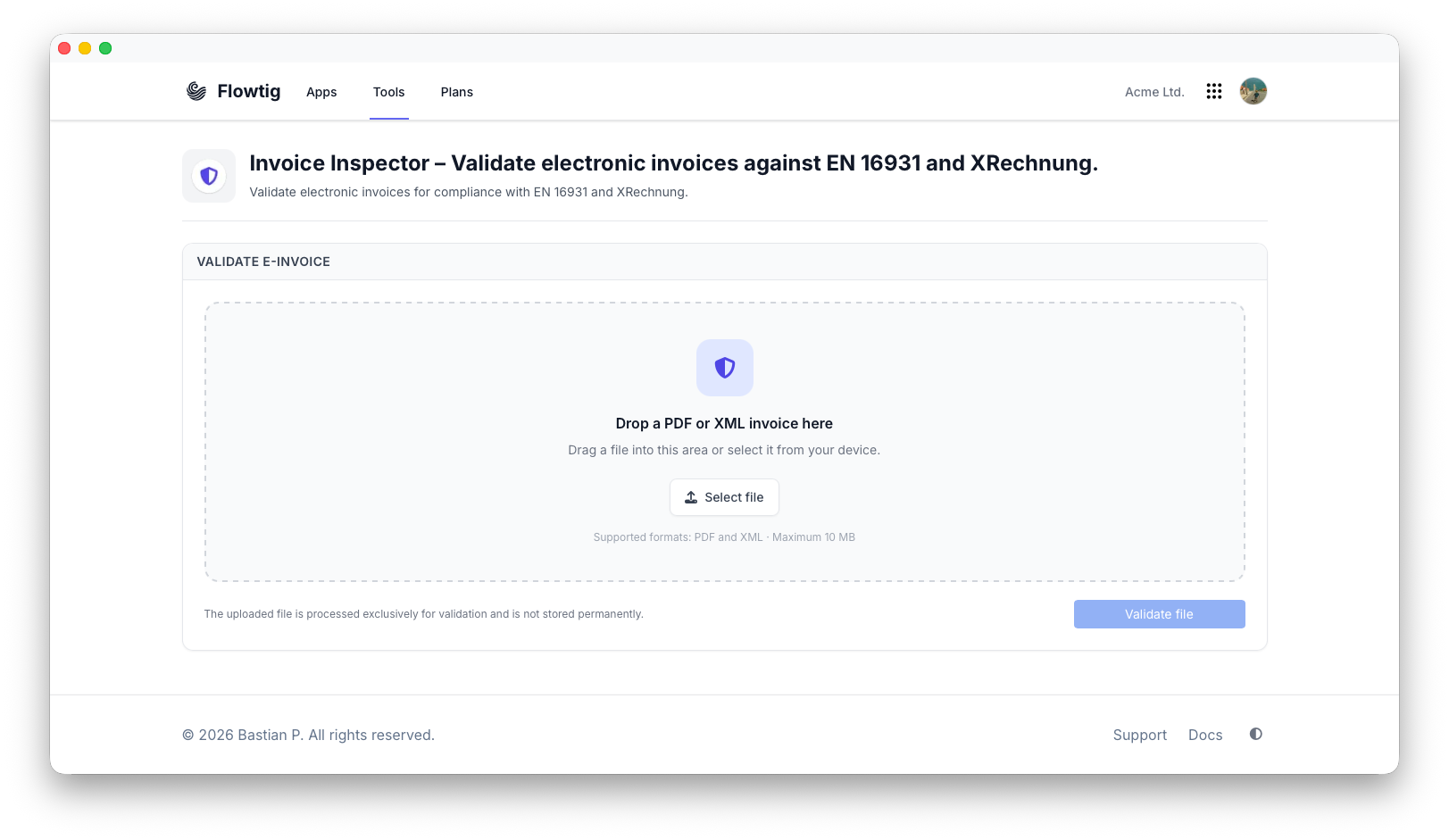
Invoice Inspector analysiert elektronische Rechnungen und überprüft, ob sie den aktuellen europäischen Standards für elektronische Rechnungen entsprechen. Laden Sie eine XML-Rechnung oder eine PDF-Datei mit eingebetteter elektronischer Rechnung hoch und erhalten Sie innerhalb weniger Sekunden einen detaillierten Validierungsbericht.
Die Validierung erfolgt mit dem offiziellen KoSIT Validator und der aktuellen XRechnung-Validierungskonfiguration und liefert dadurch zuverlässige und standardkonforme Ergebnisse.
Offizielle Validierung
Invoice Inspector verwendet den offiziellen KoSIT Validator zusammen mit der von KoSIT veröffentlichten offiziellen XRechnung-Validierungskonfiguration.
Warum Invoice Inspector verwenden?
Invoice Inspector hilft dabei, Fragen wie diese zu beantworten:
- Entspricht diese Rechnung EN16931?
- Erfüllt die Rechnung die Anforderungen der XRechnung?
- Welche Validierungsregeln wurden verletzt?
- Wo genau befindet sich das Problem?
- Ist meine Rechnung bereit für die elektronische Übermittlung?
Anstatt XML-Dokumente manuell zu analysieren, liefert Invoice Inspector innerhalb weniger Sekunden einen verständlichen Validierungsbericht.
Übersicht
Mit Invoice Inspector können Sie:
- EN16931-Rechnungen validieren
- XRechnungen validieren
- XML-Rechnungen hochladen
- PDF-Rechnungen mit eingebettetem XML hochladen
- Validierungsmeldungen überprüfen
- Einzelne Validierungsschritte nachvollziehen
- Verstöße gegen Schemas und Geschäftsregeln identifizieren
Unterstützte Rechnungsformate
Invoice Inspector unterstützt derzeit:
- EN16931-XML-Rechnungen
- XRechnung (CII)
- XRechnung (UBL)
- PDF-Rechnungen mit eingebetteten XML-Rechnungen (Factur-X / ZUGFeRD / XRechnung PDF)
Hochgeladene PDF-Dateien werden automatisch analysiert und die eingebettete XML-Rechnung wird vor der Validierung extrahiert.
Validierungsbericht
Jede Validierung erzeugt einen umfassenden Bericht mit folgenden Informationen:
- Rechnungsinformationen
- Lieferant
- Rechnungsnummer
- Rechnungsdatum
- Dokumenttyp
- Zusammenfassung der Validierung
- Validierungsschritte
- Detaillierte Validierungsmeldungen
Jedes gemeldete Problem enthält die betroffene Validierungsregel sowie deren Schweregrad und, sofern verfügbar, die entsprechende Position im XML-Dokument.
Validierungsmeldungen
Validierungsmeldungen werden nach Schweregrad gruppiert:
- Fehler
- Warnungen
- Informationen
Jede Meldung enthält:
- Kennung der Validierungsregel
- Verständliche Beschreibung
- Validierungsschritt
- XML-Position (sofern verfügbar)
Dadurch lassen sich Probleme schnell identifizieren und korrigieren.
Tip
Auch wenn eine Rechnung technisch gültig ist, können Warnungen auf Empfehlungen oder bewährte Vorgehensweisen hinweisen, die vor dem Versand der Rechnung überprüft werden sollten.
Offizielle Validierungssoftware
Invoice Inspector führt sämtliche Validierungen mit der offiziellen, von KoSIT bereitgestellten Validierungssoftware durch.
Der Validierungsbericht zeigt außerdem:
- Validator-Version
- Validierungskonfiguration
- Konfigurationsversion
Dadurch ist jede Validierung transparent und reproduzierbar.
Typische Anwendungsfälle
Invoice Inspector wird häufig verwendet für:
- Vorbereitung von XRechnungen
- Testen elektronischer Rechnungen während der Entwicklung
- ERP-Integrationen
- Validierung von Buchhaltungssoftware
- Kundensupport
- Qualitätssicherung
- Continuous Integration (CI)
Häufig gestellte Fragen
Welche Rechnungsformate werden unterstützt?
Invoice Inspector unterstützt XML-Rechnungen sowie PDF-Rechnungen mit eingebetteten elektronischen Rechnungen.
Welche Validierungssoftware wird verwendet?
Invoice Inspector verwendet den offiziellen KoSIT Validator zusammen mit der offiziellen XRechnung-Validierungskonfiguration.
Wird meine Rechnung gespeichert?
Nein.
Hochgeladene Rechnungen werden ausschließlich für die Validierung verarbeitet und nicht dauerhaft gespeichert.
Kann ich sehen, warum die Validierung fehlgeschlagen ist?
Ja.
Jeder Validierungsbericht enthält detaillierte Meldungen mit der betroffenen Validierungsregel und, sofern möglich, der entsprechenden Position im XML-Dokument.
Benötigen Sie Hilfe?
Benötigen Sie weitere Informationen zum Invoice Inspector?
Besuchen Sie die Flowtig-Website, um mehr über unterstützte Rechnungsformate, Validierungsfunktionen und zukünftige Erweiterungen zu erfahren.